Osmind + Claim.MD Eligibility Checks
Last updated: March 23, 2026
Osmind’s integration with Claim.MD runs real-time eligibility checks and returns results back into your Osmind account. You'll need to review each payer within Claim.MD and complete the required enrollment for Eligibility Checks if required by the payer.
Once Claim.MD has been enabled for your account, you'll need to review your Insurance Settings to ensure Eligibility Checks has been enabled. This will allow the "Check Eligibility" option to show within the client's profile in Osmind.
Insurance Settings > Track Client Insurance Eligibility
For any additional users added to Claim.MD who will be performing eligibility checks, they will need to have the setting "Can request eligibility checks" in Osmind enabled. The Osmind support team can enable this if they are not able to request eligibility checks.
When viewing an Osmind patient chart, scroll down to Insurance Eligibility and click "Check Eligibility."
You'll need to have an insurance plan on file within the Client's Profile in order to run an eligibility check.
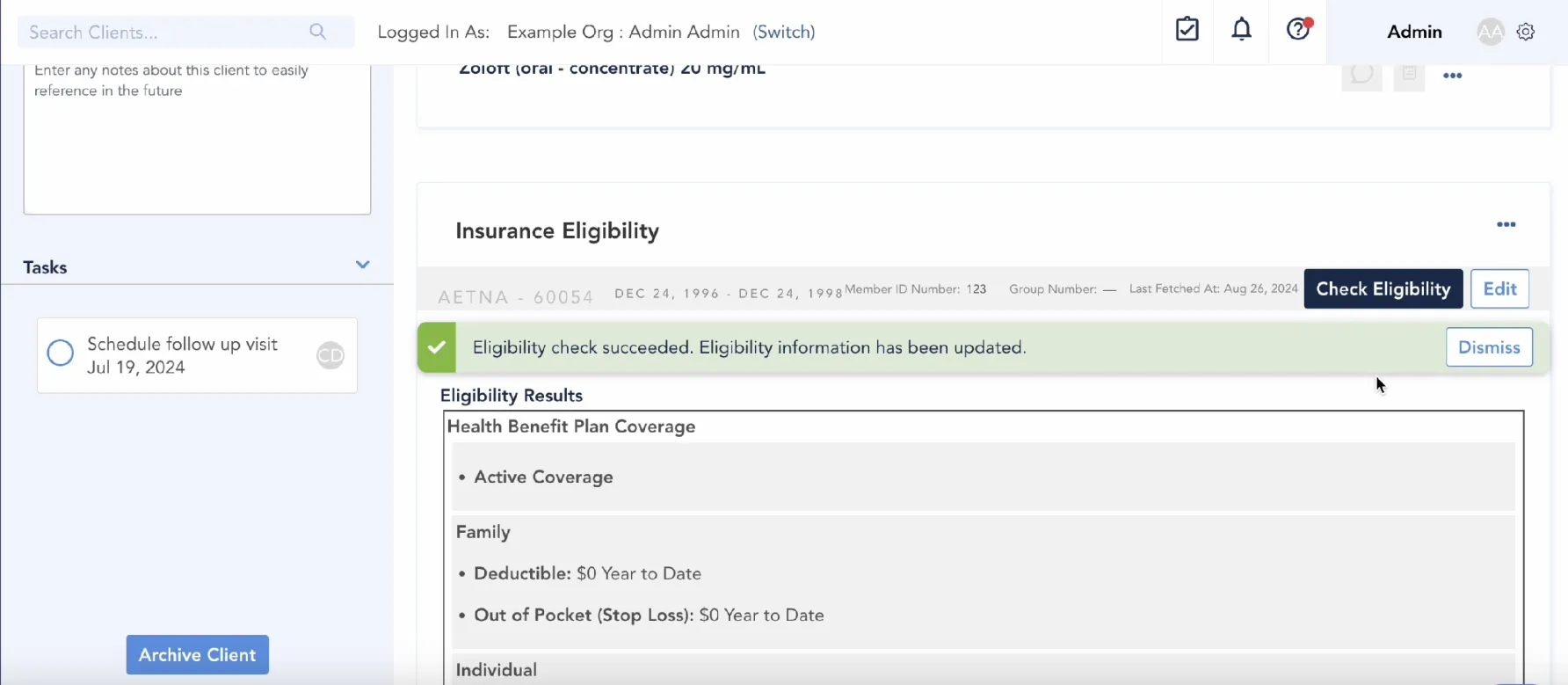
Eligibility results from Claim.MD typically include the following, but are subject to what the payer will return to Claim.MD. Here is the information that will be sent to Osmind, depending on what the payer will return.
Health benefit plan coverage (active or inactive)
Family (deductible, out-of-pocket amounts)
Individual (deductible, out-of-pocket amounts)
For more detailed eligibility results, you can use the search field within your Claim.MD account to search benefit codes (ie. specialty). You'll find the full list of searchable benefit codes available here. You can also search by CPT code, however there may be some limitations in what payers return for some specialty codes (ie. nutritional codes).
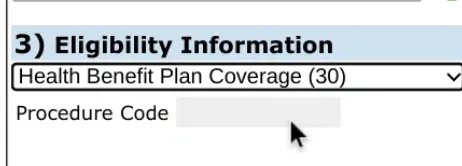
Eligibility code search field within your Claim.MD account