Adding a Service Facility and Billing Provider for Insurance Claims
Last updated: May 13, 2026
When completing a CMS 1500 insurance claim in Osmind, you’ll need to include both a Service Facility and a Billing Provider. These sections help insurance payers identify where services were provided and who should receive payment.
Service Facility (Box 32)
The Service Facility is the location where the services were provided. This information appears in Box 32 of the CMS 1500 claim form.
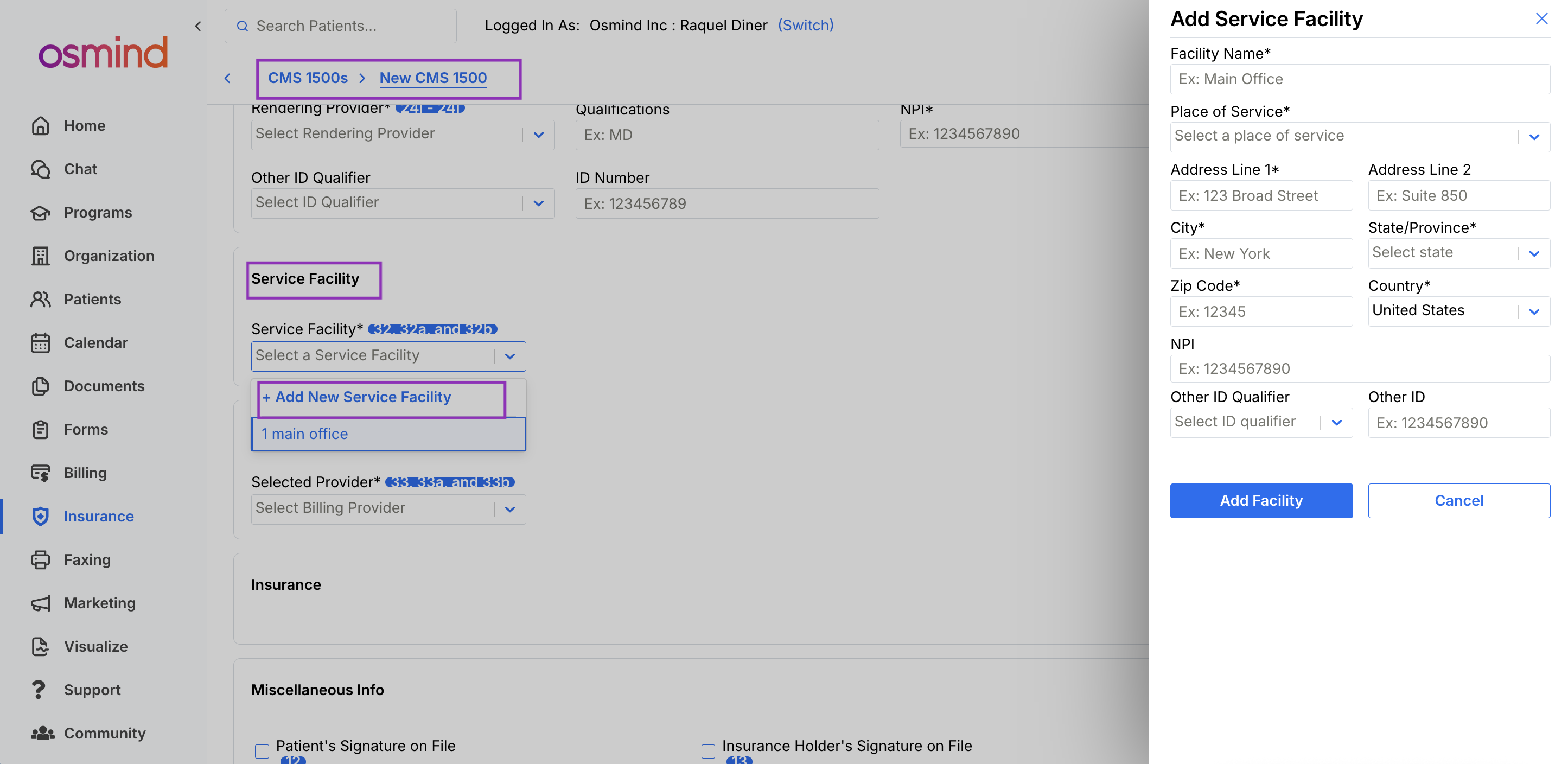
If you do not already have a Service Facility saved in Osmind, you can add one by selecting “Add New Service Facility” from the dropdown menu while completing a claim. You can save multiple facilities if you work from different locations or provide both in-person and virtual care. Once added, they will appear in the dropdown every time.
Information Required for a Service Facility
When adding a Service Facility, you’ll need to enter:
Facility Name
Use a clear and specific name so you can easily identify different locations.
Place of Service (POS) Code
The POS code describes where the service took place.
Common telehealth POS codes include:
POS 02 – Telehealth Provided Other Than in Patient’s Home
POS 10 – Telehealth Provided in Patient’s Home
Insurance payers may have different preferences for telehealth billing, so choose the code that best matches the service location and payer requirements.
Address
Even if services are provided virtually, a physical address is still required for the Place of Service.
ID Number Type
Enter an identification qualifier, such as your NPI number.
Billing Provider (Boxes 25 and 33)
The Billing Provider is the provider or organization requesting payment for the services rendered. Billing Provider information populates Boxes 25 and 33 on the CMS 1500 claim form.
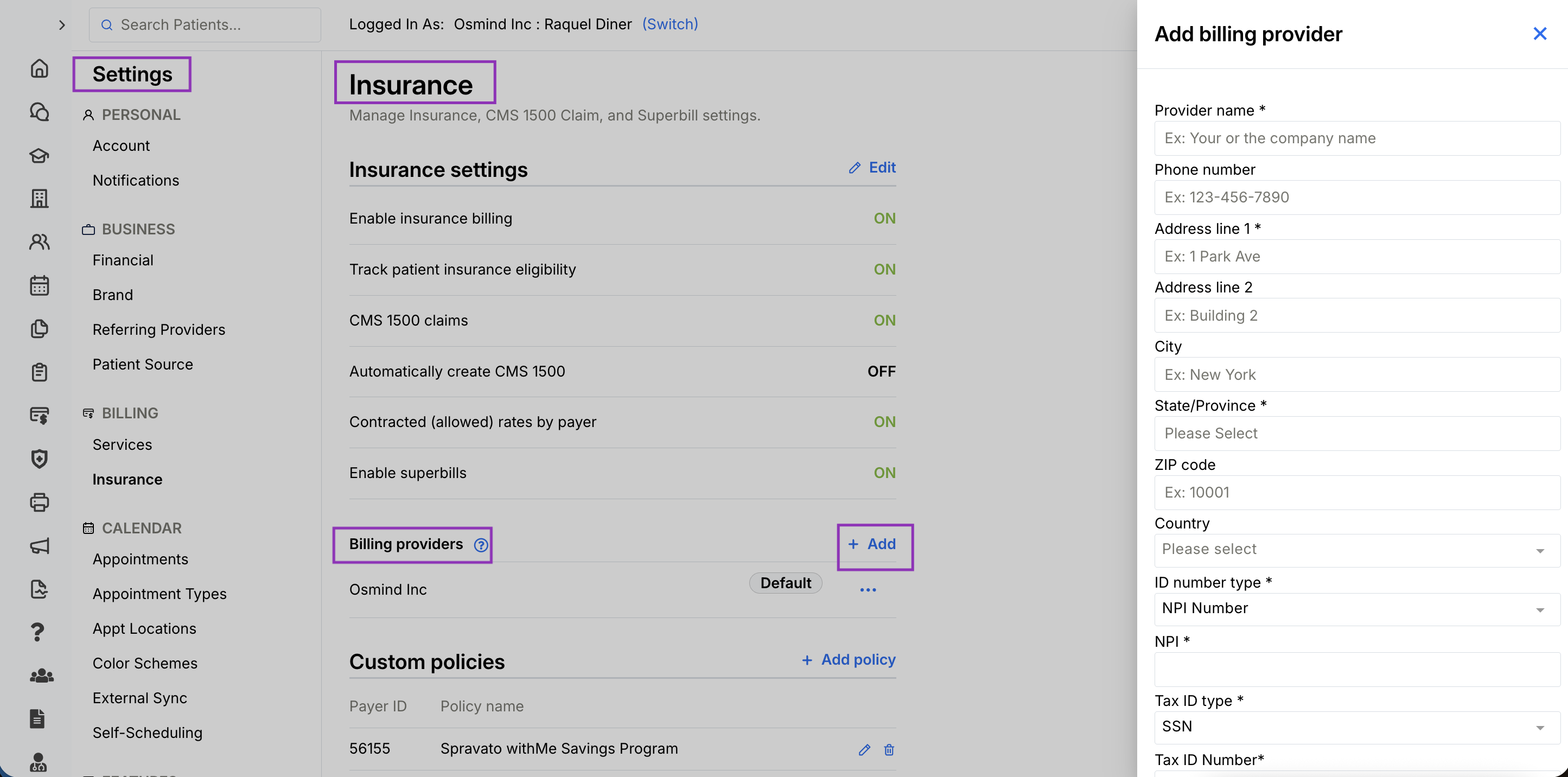
You can manage Billing Providers in:
Settings > Insurance > Billing Providers
You may also add a Billing Provider directly while completing a claim form. However, setting up your Billing Providers in advance is recommended to reduce errors and speed up claim completion.
Managing Billing Providers
From your insurance settings, you can:
Add new Billing Providers
Edit existing providers
Remove providers
Set a default Billing Provider
If you choose a default Billing Provider, Osmind will automatically populate that information on new claims, though you can still make edits when needed.
Information Required for a Billing Provider
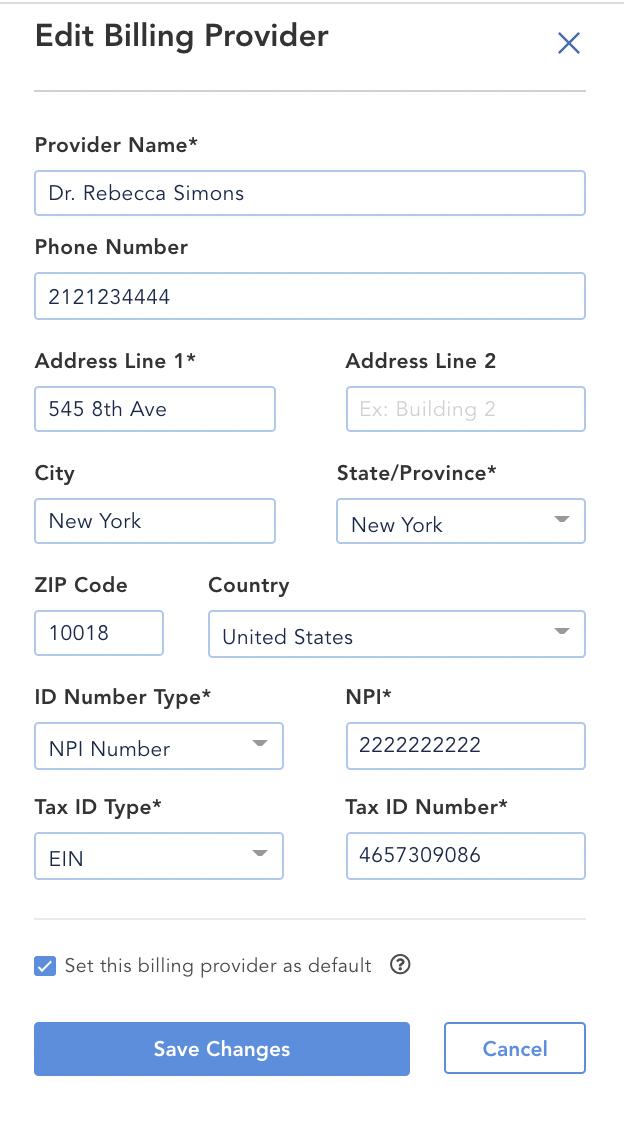
Billing Provider details include:
Provider Name
Phone Number
Billing Provider NPI Number
(This may include an Organizational NPI / Type 2 NPI or another individual NPI.)
Tax ID Type
(SSN or EIN)
Tax ID Number
Other ID Qualifier and Other ID
These optional fields are used if another identifier is needed instead of an NPI number.
Adding a Billing Provider to a Claim
Within the claim form, you can:
Select a previously saved Billing Provider from the dropdown menu
Or choose to add a new one
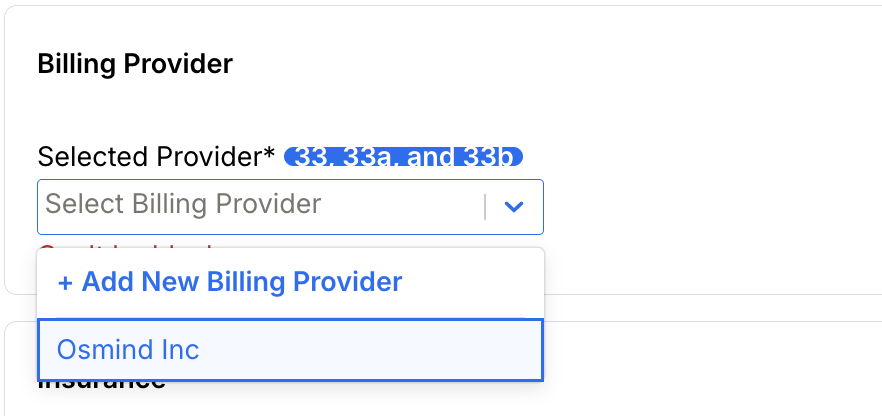
When selecting an existing provider, the information will automatically fill into the claim form, but all fields remain editable.
You may also choose to use the Individual Rendering Provider NPI instead of the Billing Provider NPI. This is commonly used when an individual practitioner, rather than a group practice, should receive reimbursement.

How Billing Provider Information Appears on the CMS 1500 Form
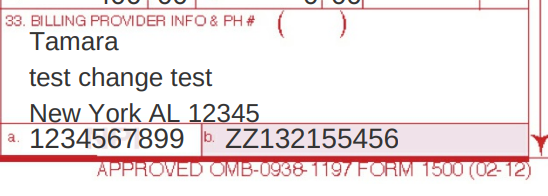
Box 33
Displays the Billing Provider’s name, address, and phone number.
Box 33a
Displays the Billing Provider NPI number.
Box 33b
Displays the Other ID Qualifier and Other ID, if provided.
Box 25
Displays the Billing Provider Tax ID Number.
