Staff Scheduling Widget
Last updated: November 3, 2026
Book appointments on behalf of patients directly from the patient profile, using the same availability rules as patient self-scheduling.
What it does
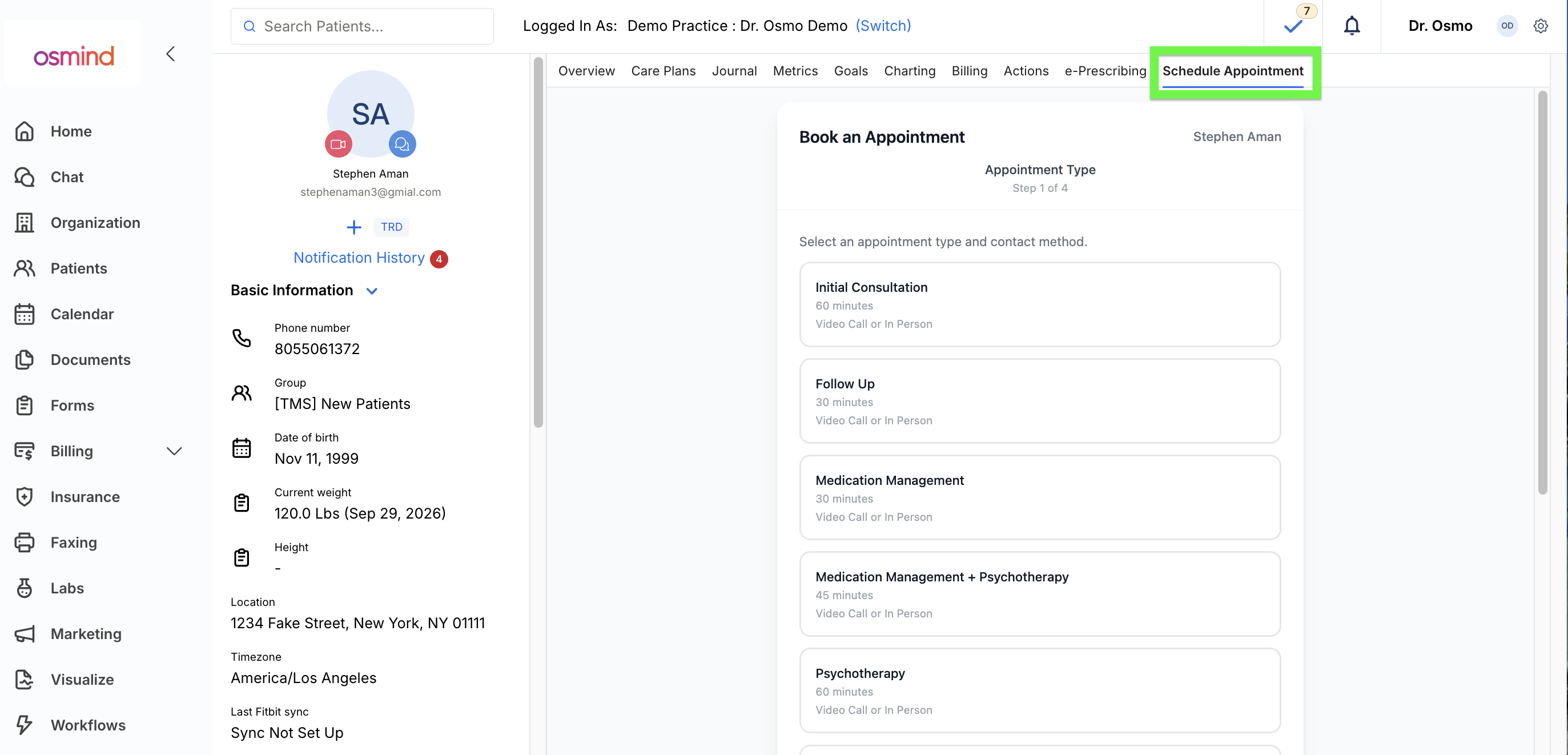
The Staff Scheduling Widget lets providers and care coordinators book appointments on behalf of a patient directly from the patient profile, without resorting to a patient-facing booking link. Staff choose an appointment type, contact method, and location, and the widget automatically loads the patient’s care team as bookable providers. Bookings only go through into genuinely open slots, so staff are held to the same availability constraints patients are.
The problem it solves
Care coordinators and providers booking on behalf of a patient previously had no staff-friendly way to do it inside the patient’s chart. The alternative was using a patient self-scheduling link and booking as if they were the patient, an awkward workaround that bypasses the patient’s actual care team context.
What’s included
Appointment type, contact method, and location selection (staff-facing)
Bookable provider list limited to the patient’s own care team
State and insurance auto-filled from the patient’s profile where required
Available slots displayed based on the selected options
Booking that follows the same availability rules as patient self-scheduling
How it works
The widget is embedded in the Osmind patient profile page. Staff select an appointment type, a contact method, and, for in-person appointments, a location. The widget loads the patient’s care team as the list of providers who can be booked, and pre-fills state and insurance from the patient’s profile where required. Available slots then display based on those selections, and staff book directly from the widget. Because bookings follow the same availability rules as patient self-scheduling, only open slots can be booked.
Who it’s for
Providers, care coordinators, and other staff who handle scheduling on a patient’s behalf.