Tasks for Organizations
Last updated: August 7, 2026
Osmind's Task Management feature helps teams stay organized, delegate responsibilities, and coordinate patient care and operations — all within one shared workspace.
Overview
Within your organization account, tasks can be used to:
Assign action items to yourself or other team members
Associate tasks with specific patients for coordinated care and follow-up
View, manage, or complete tasks created by others (with the appropriate permissions)
Track progress across the organization to ensure accountability and efficiency
View All Tasks in the Organization
By default, team members can view:
Tasks they've created
Tasks assigned to them
To access this view:
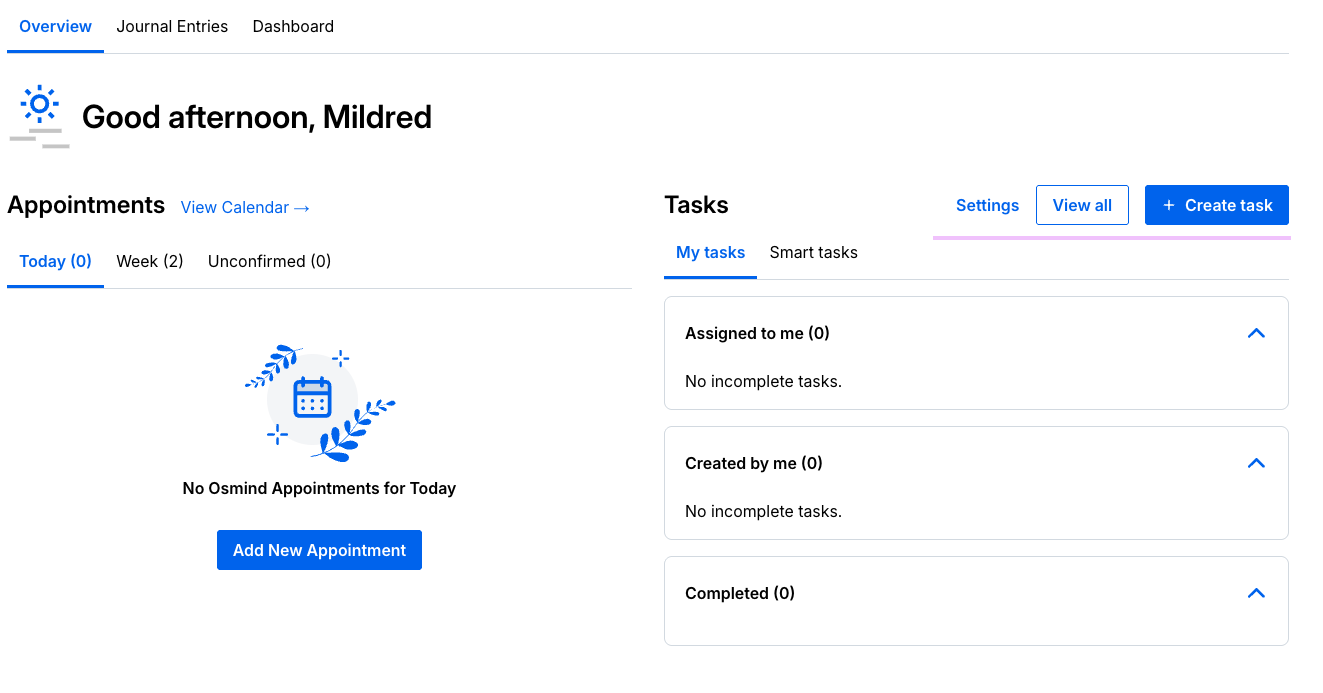
From your dashboard, click View All Tasks.
A list view will appear showing all organizational tasks, with details including:
Task title and description
Due date (if applicable)
Task creator
Assigned team member(s)
Date created and completion status
This centralized view allows admins and supervisors to monitor workloads, follow up on outstanding tasks, and ensure important items aren't overlooked.
Sort & Filter Tasks
Use filters to quickly locate specific tasks or categories of work. You can:
Sort by due date, creation date, or completion status
Filter by task creator or assigned team member
Toggle between completed and incomplete tasks
This makes it simple to review responsibilities across departments, team members, or time frames — especially helpful for billing, administrative, or care coordination workflows.
Task Commenting
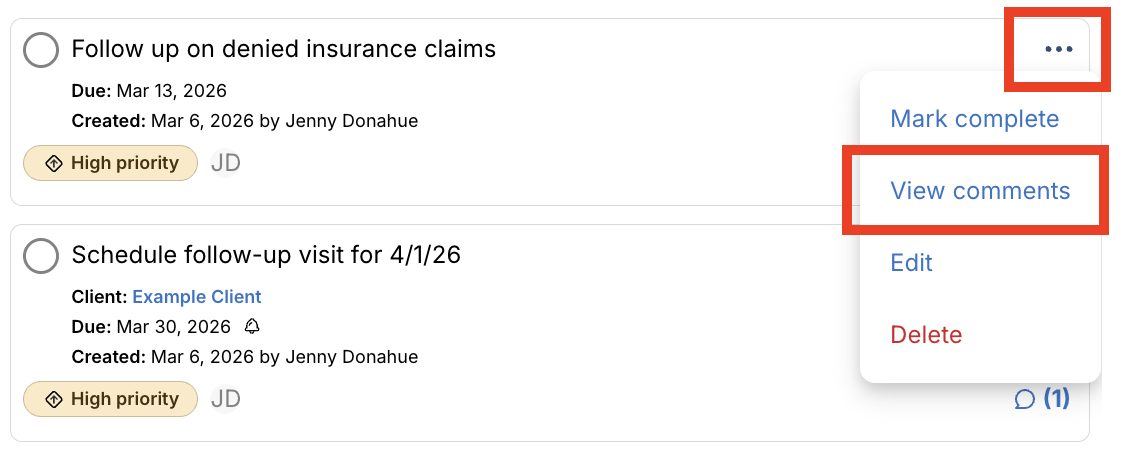
Task Commenting gives your team a built-in space to communicate directly within any task — share updates, ask questions, and keep all task-related context in one place. Anyone who can view a task can comment on it.
Administrative Utilization of Tasks
Administrative and operations teams often play a key role in ensuring important action items are completed across the organization. With the appropriate permissions, team members can view, update, and mark tasks as complete on behalf of others — helping maintain workflow continuity and oversight.
This supports efficient administrative utilization by allowing central teams to:
Monitor open tasks across providers and departments
Close out completed tasks to maintain accurate records
Update task statuses during audits, billing cycles, or quality reviews
Support providers by handling operational follow-ups (e.g., claims, authorizations, or intake verification)
By centralizing task oversight, admins can keep day-to-day operations running smoothly while clinical staff focus their time on patient care.
Note: Only team members with the "Can view all org members' tasks" permission (enabled by an account admin) can manage tasks created or assigned to others.
Example Use Cases for Organization-Wide Tasks
Clinical Coordination: Assign pre-session prep, note reviews, or patient follow-ups across your care team.
Administrative Workflows: Track insurance verifications, billing audits, or intake processing.
Operational Management: Create recurring internal tasks like compliance checks, onboarding steps, or staff training reminders.