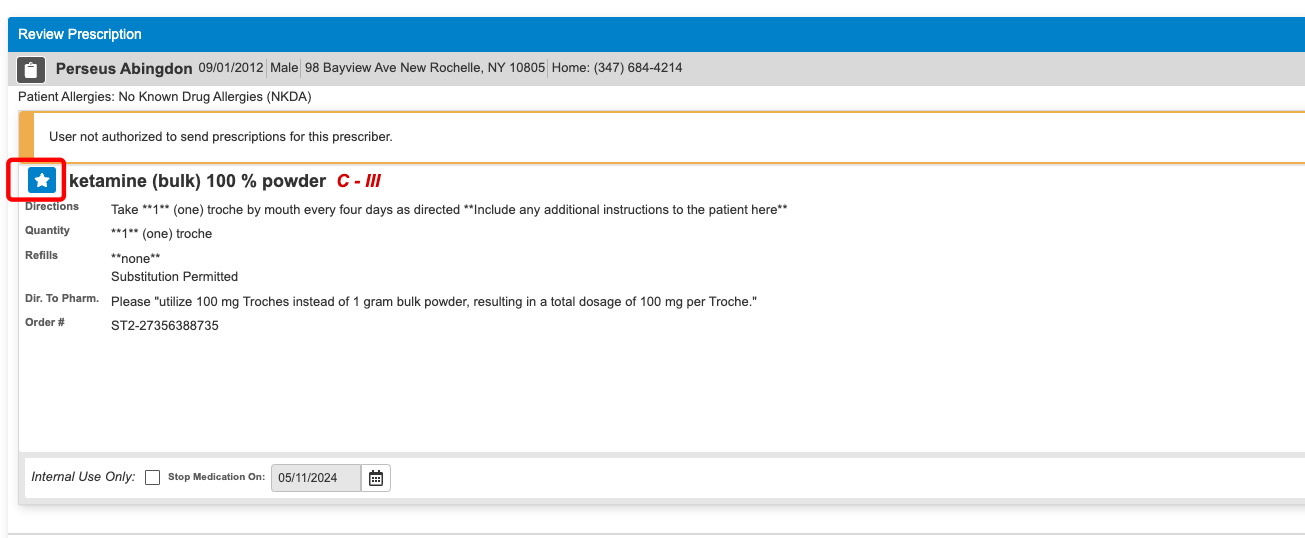
E-Prescribing: Custom Ketamine Formula Request
Last updated: February 12, 2026
This article provides step-by-step instructions for submitting custom dosage requests, most commonly used for compound pharmacies.
If you do not see the specific formulation of ketamine you would like to prescribe, you can create a custom formulary using the “Additional Notes to Pharmacist” section of the prescription.
Below are detailed instructions on how to:
Create the custom prescription
Save it to your Favorites for future use
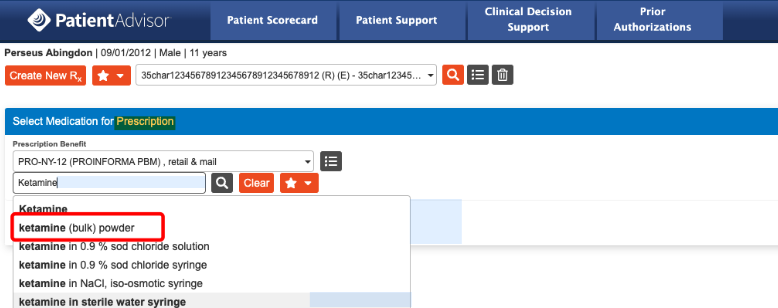
Choose any form of Ketamine from the drop down menu.
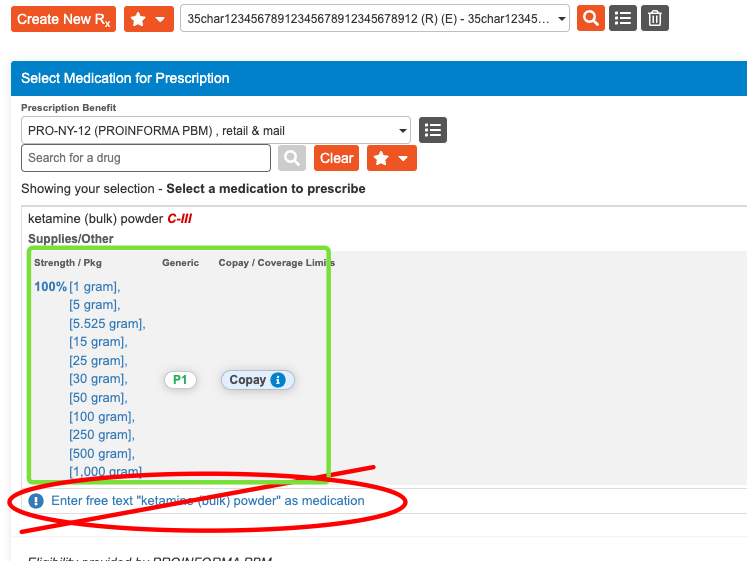
Be sure to choose a dose that is listed. If you enter free text, you will not have an option to sign for the medication
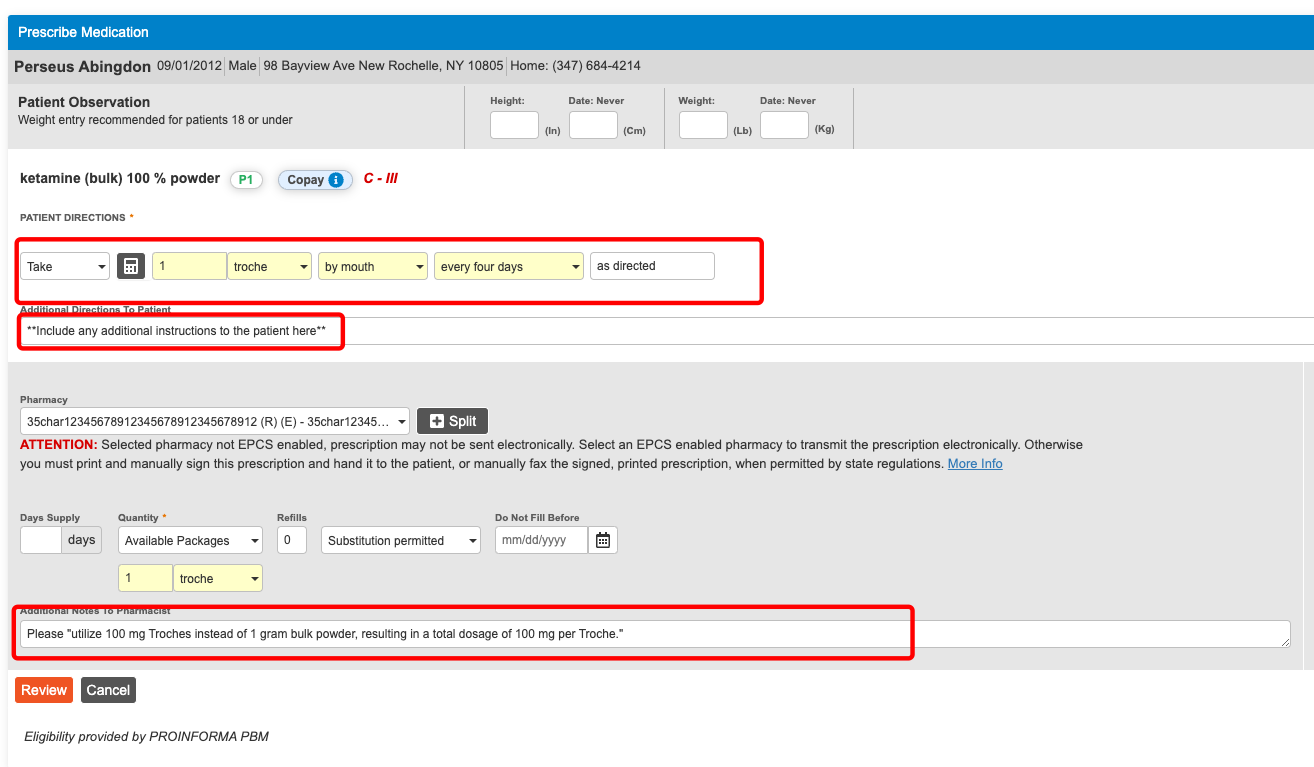
Provide clear instructions to the patient including “Additional Directions To Patient”.
In the “Additional Notes To Pharmacist” enter the true formula that you wish to prescribe using the following format: "utilize XXXmg instead of XXXmg, resulting in a total dosage of XXXmg."
Save to your favorites for future use.