DrFirst E-Prescribing Registration Guide
Last updated: October 9, 2026
Overview
We've streamlined the DrFirst registration process to make it faster and easier for your practice. Your providers can now register directly through Osmind.
The entire process happens in three quick steps:
Practice Registration
User Account Setup
Prescriber Confirmation
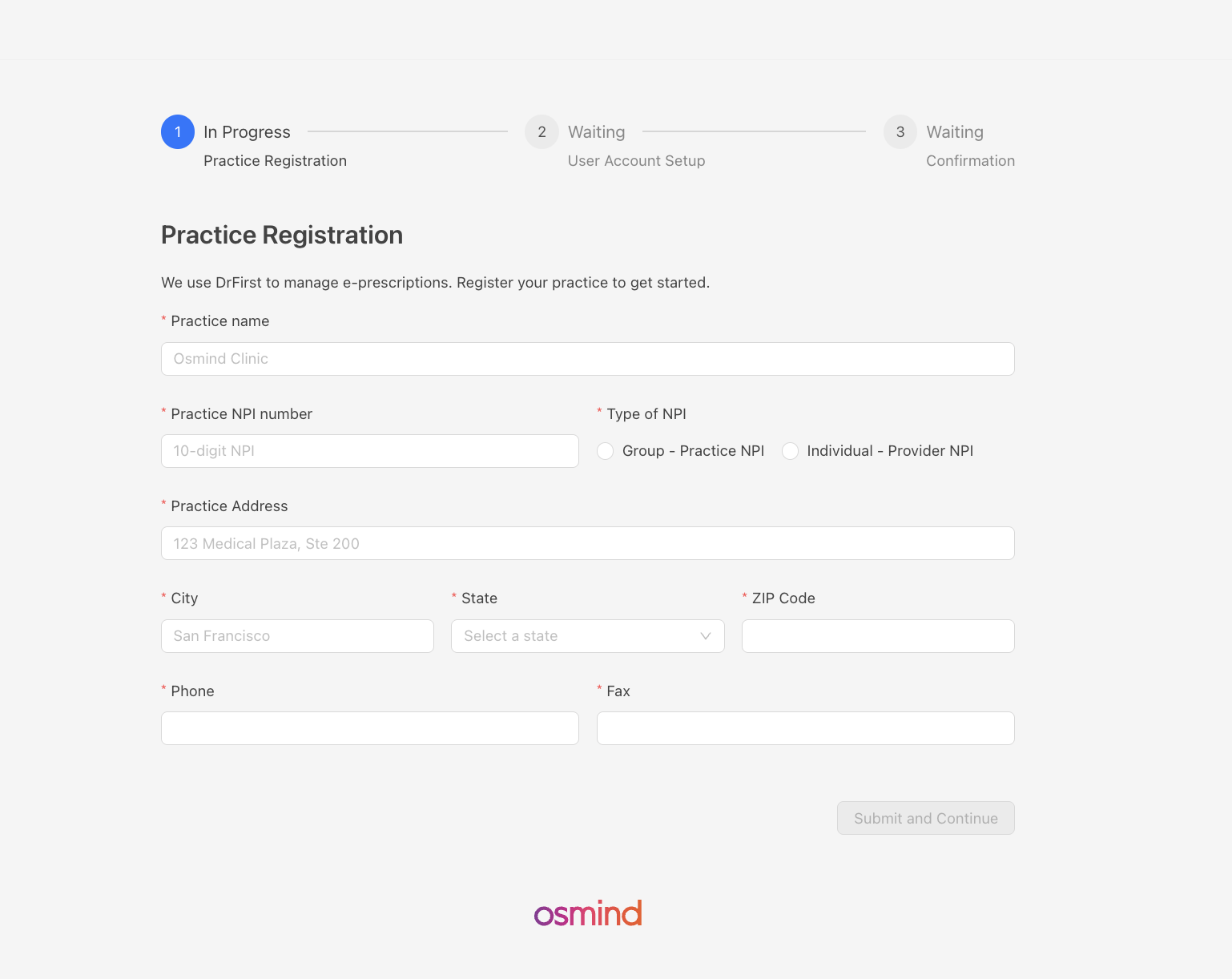
Step 1: Practice Registration
The main user or practice admin will enter your clinic's location information. This includes:
Practice name
NPI number (Group or Individual Provider)
Complete mailing address
Contact phone and fax numbers (where pharmacies can reach out to the practice)
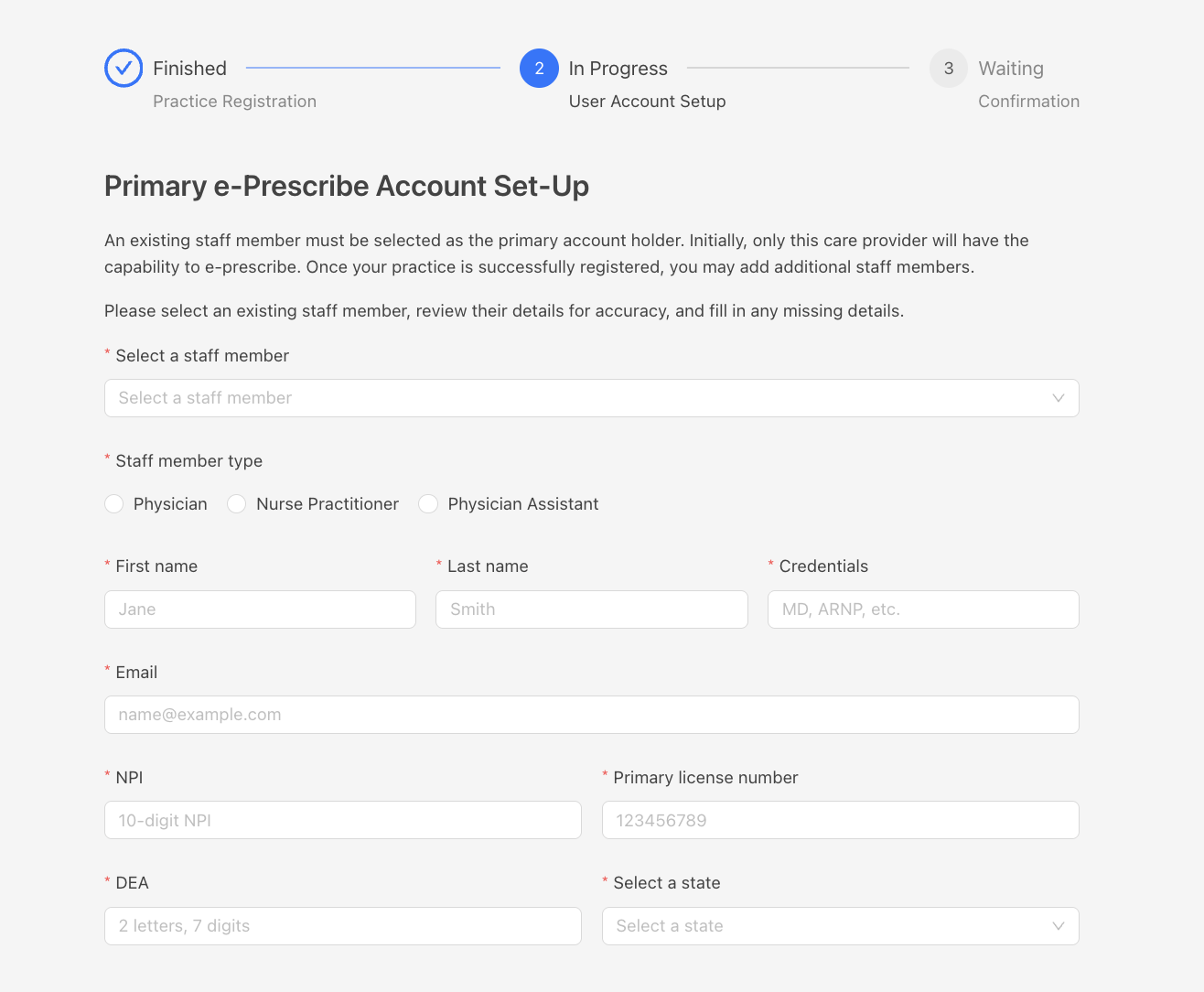
Step 2: Primary Provider Account Setup
Select the user from the dropdown to be your primary e-prescriber. This provider will:
Have initial e-prescribing authority
Their information will be pre-filled from their profile
The system checks for correct NPI and DEA formatting to prevent submission errors.
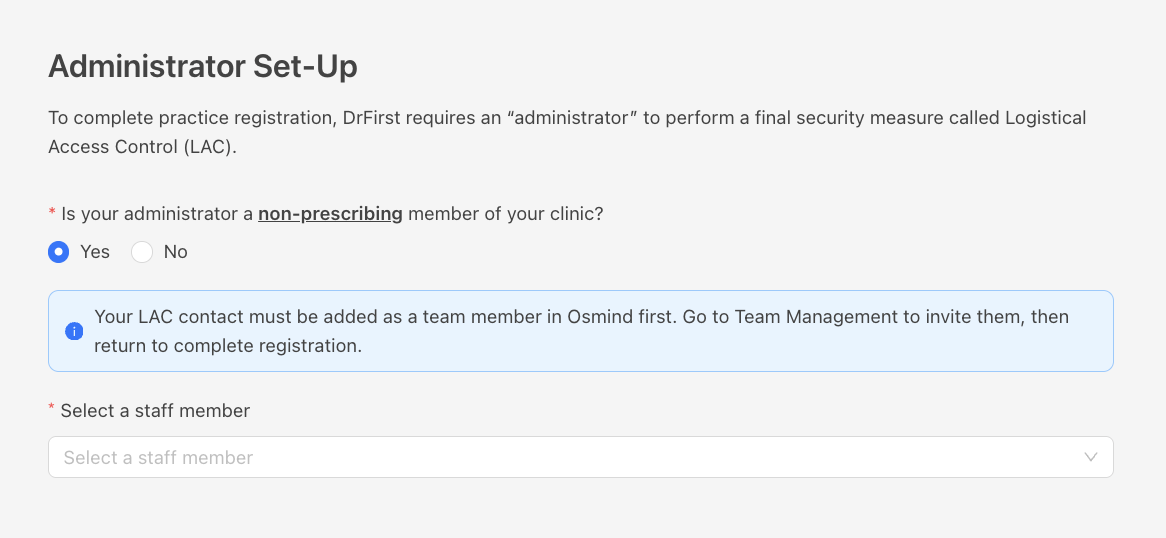
Administrator Set Up
This administrator is responsible for LAC (Logical Access Control) verification required by DrFirst (for all providers in the practice)
Has to be a staff member without an NPI
If you’re a solo practitioner select NO and you will be able to add a contact manually. It can be a spouse, family member or friend over 18 years old
Setting up your LAC administrator: Before your LAC administrator can complete the verification process in DrFirst, you must first add them as a staff member in Osmind. Once added to Osmind, they will need to complete their DrFirst registration before they can perform LAC verification for your providers.
Confirmation for Prescribers Set Up
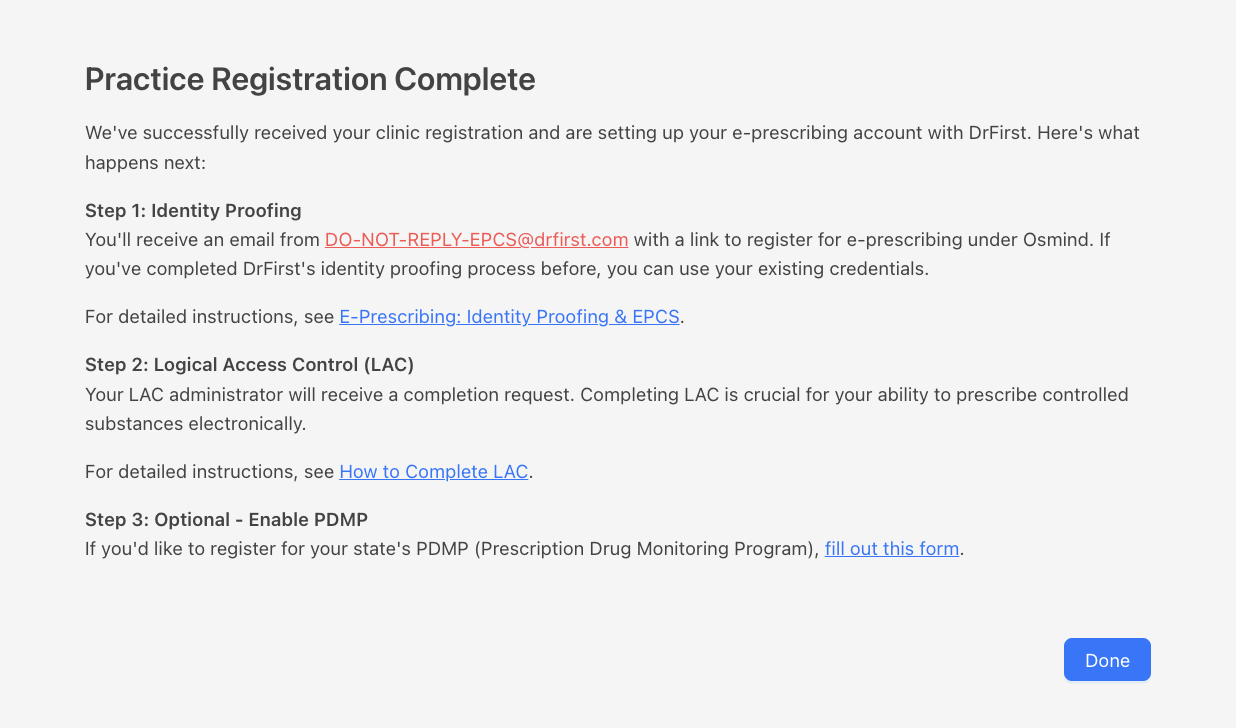
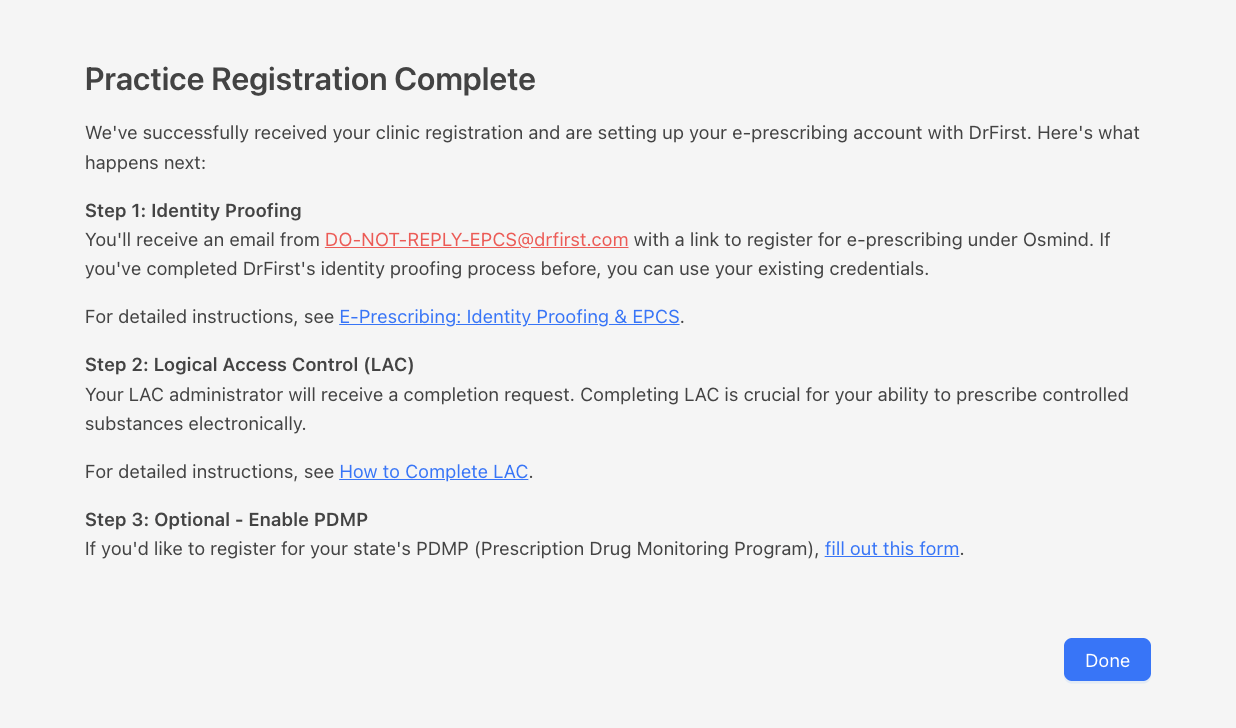
All new prescribers will need to complete the following steps:
Identity Proofing: Your provider receives an automated verification email from DrFirst. Instructions: HERE
Administrator set up: LAC (Logical Access Control): Your non-prescribing administrator completes this security verification on behalf of the provider. Instructions: HERE
Once these are completed: Your provider gets e-prescribing access! If e-prescribing doesn't appear right away, log out of Osmind and log back in.
Step 3: Staff User Account Setup
Select a staff member from the dropdown list.
Note: The dropdown only displays staff members who are not yet registered in DrFirst. If a staff member doesn’t appear in the list, they may already be registered and active. To verify their registration status, open any patient chart and navigate to the e‑prescribe tab to see their active status and prescribing capabilities.
Only providers have ePrescribing permissions. Here you can add all the prescribers in your practice
Clinical staff has edit access, but not prescribing access
Non-clinical staff have view access only
All available user information will be pre-filled from the Members setting page.
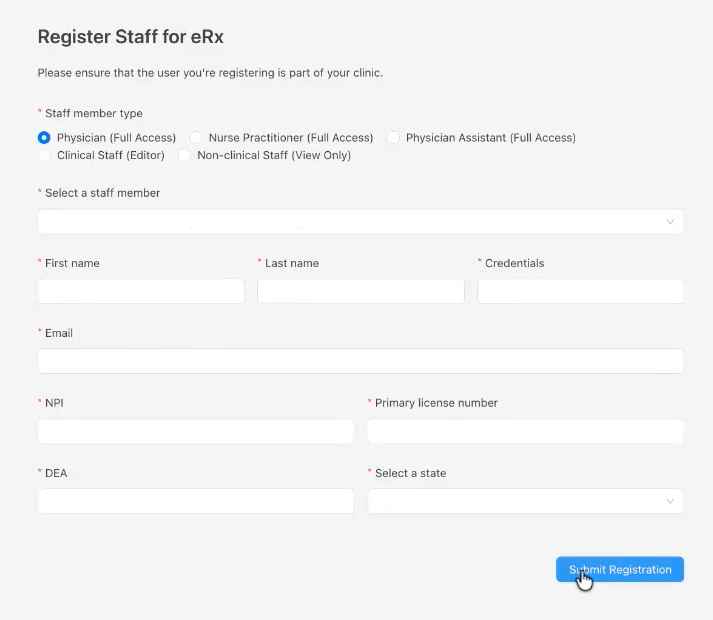
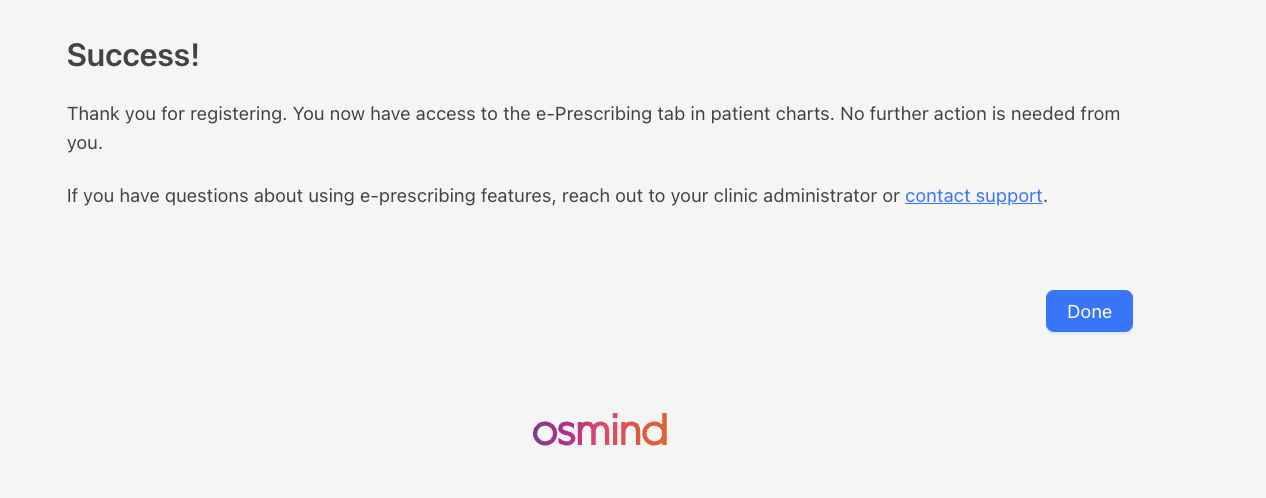
You’ll get a confirmation after registering each new user!
Clinical/Non-Clinical Staff:
Prescribers:
Tips & Troubleshooting
What if the NPI or DEA field shows an error?
Double-check the format—NPI is 10 digits, DEA is 2 letters followed by 7 digits. The form will flag incorrect formats to help you correct them.
Can the same person be the primary prescriber and administrator LAC / contact?
No, because of DrFirst registration workflow requirements. Your LAC contact must be a non-prescribing staff member (e.g., office manager, clerk). If you are a solo practitioner we can help! Contact our Osmind support team at getsupport@osmind.org
How long does the whole process take?
Registration takes 5–10 minutes. Identity proofing and LAC verification are typically completed within 15-25 minutes.
Can we add more staff members after initial registration?
Yes! Once the member is added to your practice, the registration page will appear for you when you open the ePrescribe tab.
Why don’t I see a staff member in the registration dropdown?
The dropdown only shows staff members who haven’t been registered in DrFirst yet. If someone is missing, they’re likely already registered and active. You can confirm this by opening any patient chart and checking the e‑prescribe tab to see their active status. New staff members will appear in the dropdown once you add them to your organization in Osmind.
Need Help?
If you have questions or encounter any issues during registration, please contact our Osmind support team at getsupport@osmind.org. We're here to help!